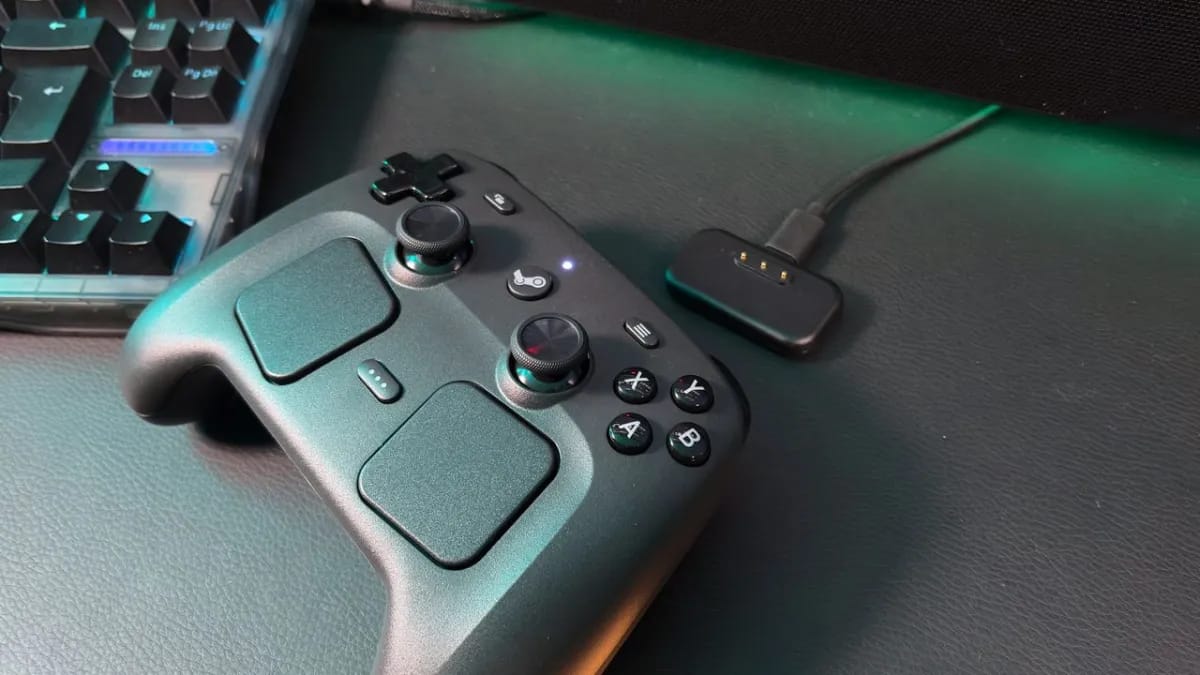
A DIY project called OpenPuck, built by GitHub user safijari, lets the Steam Controller emulate Xbox, Nintendo Switch, and PlayStation controllers using an $8 Pro Micro NRF52840 board.
The board gets flashed to mimic the Steam Controller's standard wireless puck, then translates inputs to their console equivalents while keeping Steam-specific features intact. Switching modes is done on the fly — hold all four back buttons and press X for Xbox mode, Y for Switch mode (which includes gyro and haptic support), or B for "Lizard" mode, which makes the controller behave as it does when Steam is closed, even while Steam is running. That last one has a practical upside: it lets you use the controller when a high-privilege app like Task Manager is in the foreground, without needing to run Steam as administrator. DualSense emulation is currently PC-only, and safijari notes that Switch and PS3 modes have been verified on real consoles — other modes come with caveats. In Xbox mode, the right trackpad acts as a mouse, but only on Android and SteamOS for now. Setup requires connecting both the board and the controller to a PC via USB-C to flash the microcontroller, after which the Steam Controller connects wirelessly. If you want a proper housing, you'll need to 3D print one yourself — the project page offers several options.
The Steam Controller, originally released alongside Valve's Steam Machine initiative, was always a quirky piece of hardware — dual trackpads, gyro, and deep Steam Input integration made it unlike anything else on the market. The Steam Machine itself never caught on, but the controller built a loyal following among PC gamers who appreciated its flexibility. OpenPuck leans hard into that flexibility, essentially turning it into a universal gamepad adapter. Worth noting: safijari is upfront that the project "heavily used LLMs" throughout development, so the code quality may warrant some scrutiny before you trust it with anything critical.
The project also includes a companion piece called ReversePuck, which flips the concept entirely — it emulates Steam Controller inputs on the Steam Deck, letting you use Valve's handheld as a conventional gamepad (grip controls aside). The one clear limitation of OpenPuck is that it can't charge the Steam Controller the way the official puck does, since the board lacks the necessary pins. The project is still a work in progress, but for tinkerers who still have a Steam Controller gathering dust, it's a compelling reason to dig it back out.
Sources (1)
AI-assisted summary, reviewed by our editors — how we work.
Get the daily digest
Top gaming news in Lithuanian — every day at 9:00.